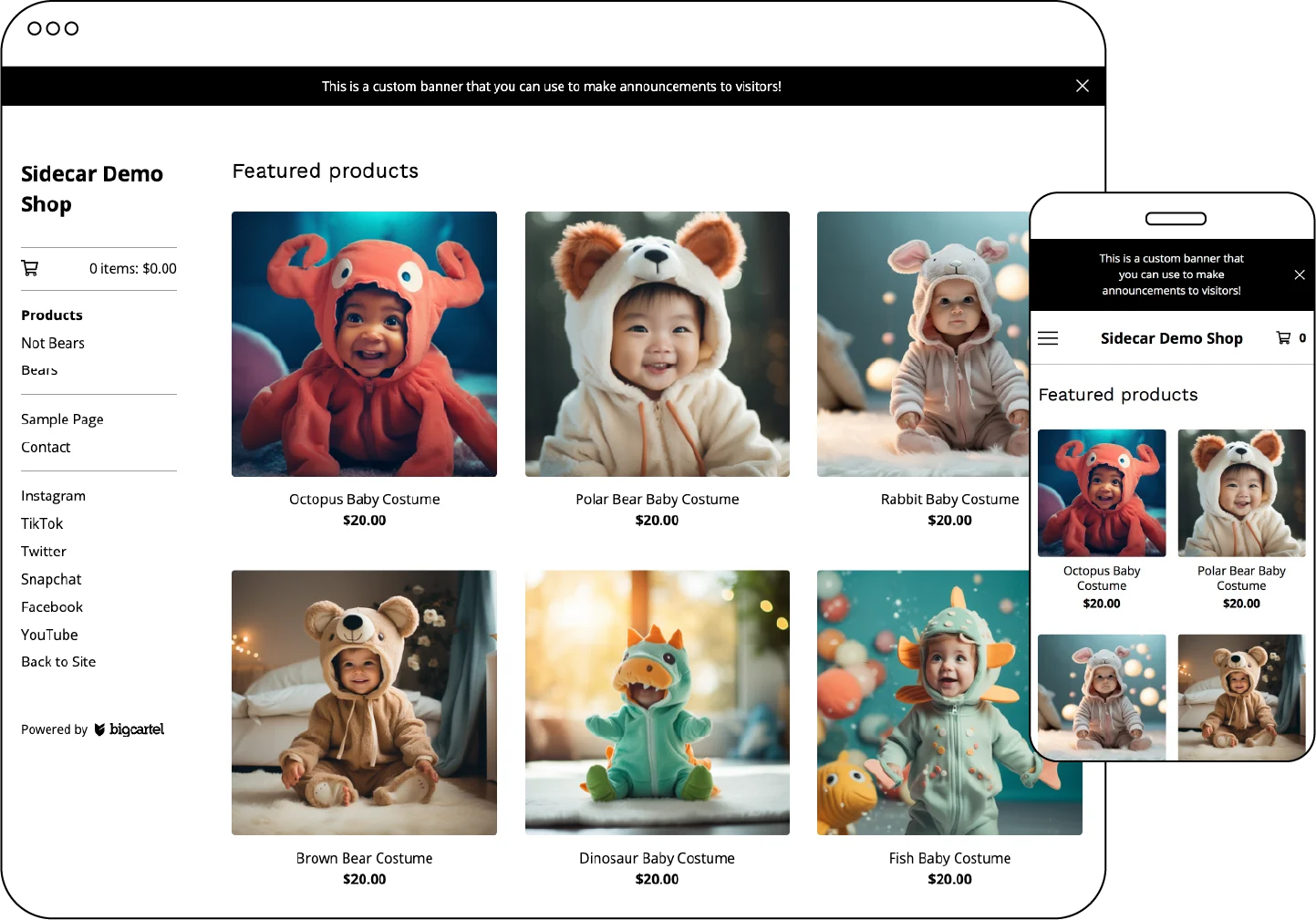
Introducing Sidecar, a fresh and innovative template designed to showcase your products in the best possible way. With its various product display options for the home page and a fixed sidebar that remains visible as customers navigate your store, Sidecar offers a seamless and engaging shopping experience.
Who is this template for?
Sidecar is perfect for sellers who offer a wide range of product categories and prioritize easy navigation for their customers.
Features
Responsive design: Optimized for a flawless performance on any desktop or mobile device.
Product inventory display: Showcase product inventory bars on product pages. Background image: Display a repeating background image on every page.
Product image display: Choose from adjustable grid sizes to showcase your products.
Fixed sidebar display: Keep the sidebar in place as customers scroll down the page for easy access.
Secondary product images: Utilize an image carousel on the product page.
Banner display: Add an announcement message at the top of every page.
Product search: Include a search field in the shop dropdown navigation for convenient searching.
Social Media integration: Add links to Instagram, Tiktok, Snapchat, Twitter, Facebook, Tumblr, and YouTube in the footer.
Tips
Supports a header image size up to 150 pixels wide.
Utilize the announcement text feature to promote discounts or special offers to your customers.
Within the Style settings, select a Font and Color palette that aligns with your brand's identity.
Template Add-ons
Gold users, upgrade to a premium plan to unlock these template add-ons and elevate your shop’s design
⚡ Limited Inventory Messaging – Boost sales by displaying messages when products are running low.
⭐ Customer Reviews with Fera – Build trust with authentic customer feedback.
📝 Blog Integration – Share updates, stories, and more with your customers.
📬 Newsletter Pop-Up with Mailchimp – Grow your mailing list and keep customers engaged.
🔔 Engaging Pop-Up with Poptin – Capture attention and promote offers with custom pop-ups.