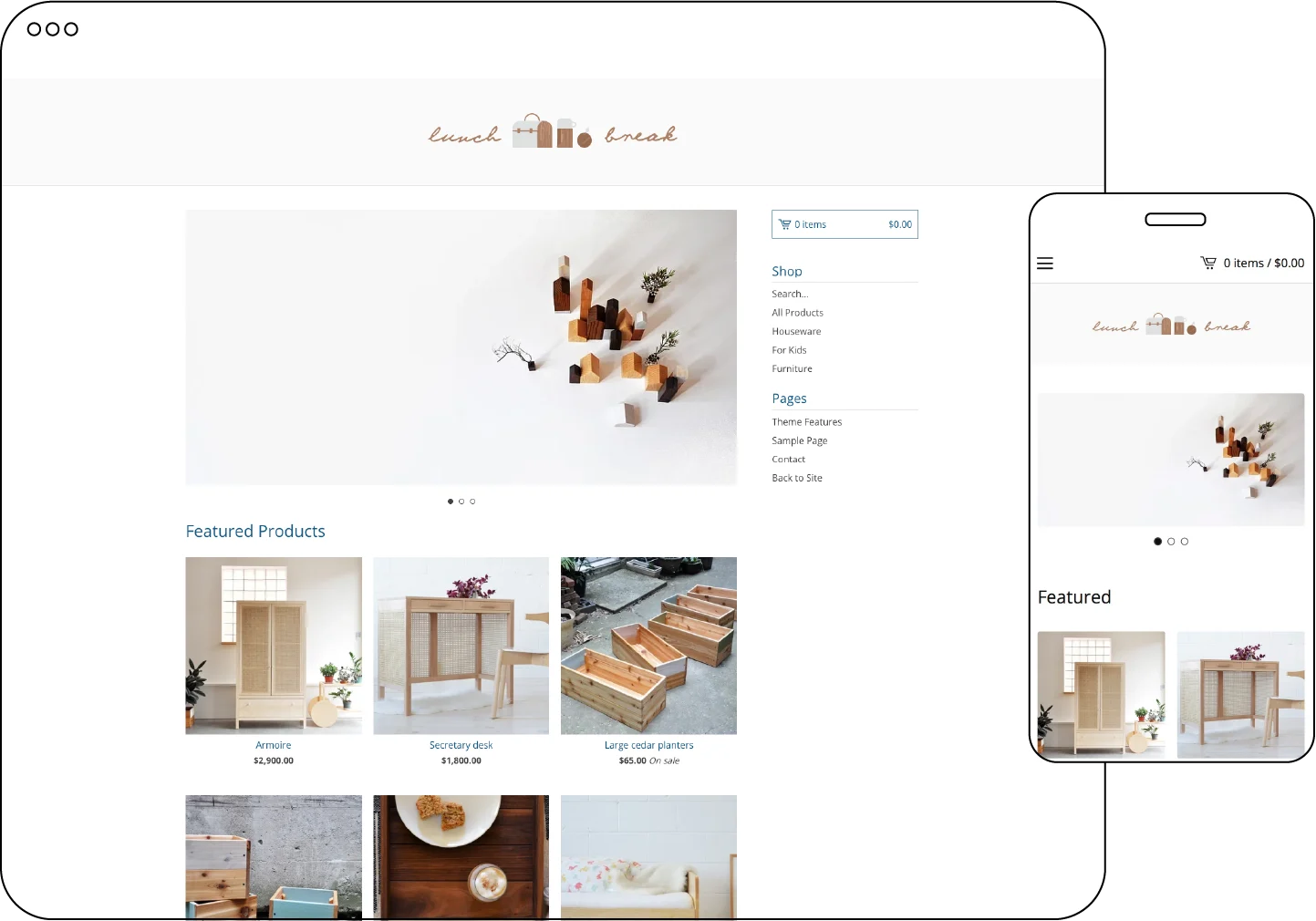
Introducing Lunch Break, a clean and user-friendly store template that offers a seamless browsing experience on any screen size. While it may appear simple at first glance, this template provides a range of features that give you complete control over your online store.
Who is this template for?
The Lunch Break template is perfect for merchants wanting a classic online store layout. With a slideshow feature and customizable options for your logo and sidebar, this template can be tailored to suit any brand, making it ideal for a variety of merchandise.
Image specs
.png, .gif, .jpg .jpeg are all supported image file types. Be sure your images don't exceed 10MB - Lunch Break supports a smaller logo image.
| Header image | 220px high |
|---|
| Homepage slideshow images | 1000px by 400px |
Template setting essentials
Make the most of your template! Use these powerful template features to effectively market to customers and get the best out of your store design.
| Announcement text | Add a banner to the top of your store with your tagline or use it to easily promote a sale. |
|---|
| Featured products | Featured products is the number of items that are displayed on your homepage. |
| Show search | Allow customers to easily search products. |
| Enable related products | Upsell by showing additional products |
| Supported social links | Facebook, Tumblr, Instagram, Pinterest, X, LinkedIn, BandCamp, YouTube, Twitch, Spotify and Snapchat |
| Custom footer text | Easily add a message to your shop's footer. |
Features
Responsive design: Optimized to ensure your store looks great on mobile and desktop devices. Slideshow display: Showcase images with a slideshow on the Home page, capturing visitors' attention.
Logo placement: Set your store name or logo on the left, center, or right side of the page header, ensuring it aligns with your design vision.
Sidebar display: Choose to display the sidebar on the left or right side of the page, optimizing the layout according to your preferences.
Featured products: Customize the number of featured products displayed on the Home page.
Product display: Sort featured products in your desired order (admin, newest, sales, or views), and choose the number of product thumbnails per row (2-4 products).
Product sharing: Enable share buttons for Twitter, Facebook, and Pinterest on Product pages, allowing customers to easily share products with their networks.
Product image zoom: Enable product image zoom functionality, providing customers with the ability to view a full-screen image gallery by clicking on product photos.
Product variant inventory: Show or hide sold-out product variants in the dropdown menus on the Product page, managing inventory visibility effectively.
Template Add-ons
Gold users, upgrade to a premium plan to unlock these template add-ons and elevate your shop’s design
⚡ Limited Inventory Messaging – Boost sales with by displaying messages when products are running low.
⭐ Customer Reviews with Fera – Build trust with authentic customer feedback.
📝 Blog Integration – Share updates, stories, and more with your customers.
📬 Newsletter Pop-Up with Mailchimp – Grow your mailing list and keep customers engaged.
🔔 Engaging Pop-Up with Poptin – Capture attention and promote offers with custom pop-ups.